




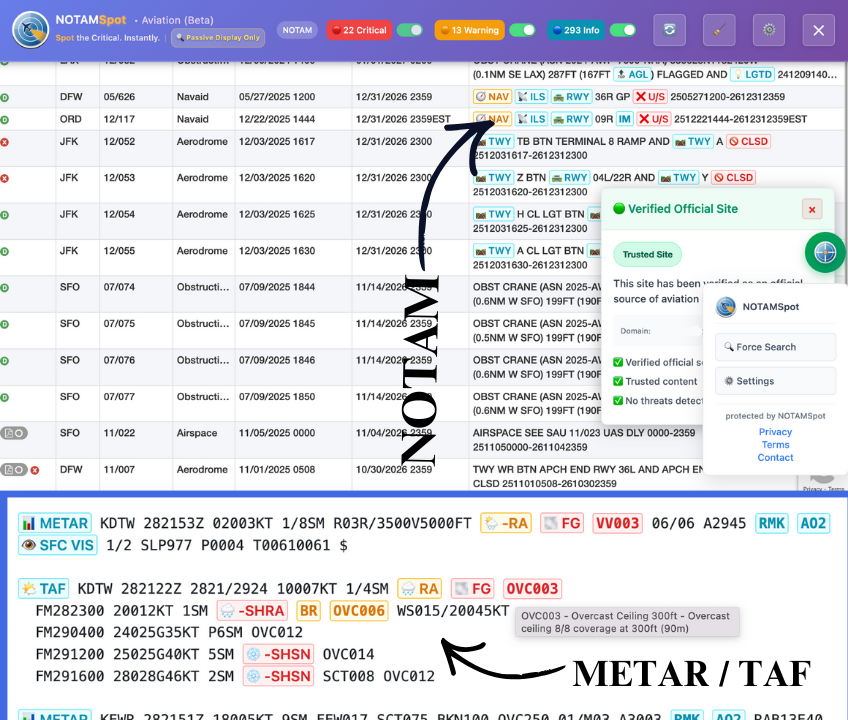



Don't waste time looking up "QMRXX". Hover over any Q-code to see plain English definitions instantly. Reduce cognitive load during pre-flight planning
Raw coordinates like "4045N07358W" are hard to visualize. NOTAMSpot adds direct links to map views for every coordinate in your briefing
Vital warnings get buried in walls of text. We highlight keywords like "CLOSED", "UNSERVICEABLE", and "OUT OF SERVICE" so you never miss a runway closure





NOTAMSpot runs 100% client-side—your NOTAMs, METARs, TAFs never leave your browser or hit servers. All decoding happens locally by design.

We never know who you are. No registration, no personal flight data collected.
Learn more
NOTAMs (Notices to Air Missions) are time-critical flight safety information about airport closures, runway hazards, and airspace restrictions published by the FAA.
Use the official FAA NOTAM Search at notams.aim.faa.gov. NOTAMSpot highlights critical items instantly as you search.
METAR reports current airport weather conditions. TAF forecasts weather for the next 24-30 hours. NOTAMSpot color-codes both.
Yes, the core NOTAM/METAR/TAF highlighter is completely free. No credit card or subscription is required for basic safety features while the software is in beta.
Yes, it overlays on official FAA NOTAM Search and Aviation Weather Center METAR/TAF pages without replacing official briefings.
Red = Critical (airport closed, hazard); Yellow = Warning (reduced visibility); Green = Advisory (procedures changed).
100% private. Works as client-side overlay - no data collection, transmission, or cloud storage of your searches.
Click "Add to Browser - Free" → browser confirms → pin to toolbar. Works instantly on FAA/AWC sites.
Yes, hover any acronym (QMXR, RVRNO) for plain-English explanations and instant translations.
It highlights risks you might miss manually, saving 15-30 minutes per briefing while you use official sources.
Chrome, Edge, Firefox. Optimized for desktop pilots doing flight planning and briefings.
NOTAMs are published in real-time. NOTAMSpot shows current active NOTAMs from FAA sources as you browse.


Built on 25+ years of active duty AIS (Aeronautical Information Services) experience. NOTAMSpot converts raw FAA data into safety intelligence using global standards.


